GIS TD4: Qgis - shapefiles
Today we will forget about raster data to focus on geometric features: points, lines and polygons.
The objective is to load places from interest stored in a csv format, and compute the distance of cities to those places of interest. Finally we will compute distances between cities and the closest motorway (i.e., lines).
Filtering, extracting a subset of data
Open the roads layer and open its attirbute layer. By clicking on  , filter the motorways and save them in a separate shapefile.
Script
Preamble
Reproduce the preamble we had in TD2. In particular you should set the project CRS the following way
crs = QgsCoordinateReferenceSystem('ignf:lamb93')
QgsProject.instance().setCrs(crs)
Load the data
Load the administrative areas ./rawdata/admin.shp , the places of interest ./rawdata/places.csv, and the motorways ./work/motorways.shp. To load a csv file in Qgis manually you would use Layer/Add Layer/Add Delimited Text Layer. Through python, you need to use the following code
csv_crs = 'epsg:4326'
csv_file = '/rawdata/places.csv'
xField = 'longitude'
yField = 'latitude'
delimiter = ','
csv_params = '?delimiter={}&crs={}&xField={}&yField={}'.format(delimiter, csv_crs, xField, yField)
places = QgsVectorLayer('file://{}{}{}'.format(path, csv_file, csv_params), 'places', 'delimitedtext')
print('places', places.isValid())
On windows, you will need to replace the second to last line by the following:
places = QgsVectorLayer('file:///{}{}{}'.format(path, csv_file, csv_params), 'places', 'delimitedtext')
(Note the additional slash)
Reproject the motorways and places of interest
Measuring distances
To points of interest
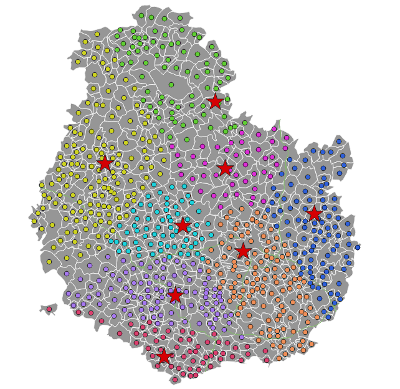
Create the centroids of municipalities using native:centroids
Compute the distance of each centroid to the closest point of interest using qgis:distancetonearesthubpoints
To lines
Create points along the motorways using native:pointsalonglines
Compute the distance of each centroid to the closest point of along the motorways using qgis:distancetonearesthubpoints
Exercise
Using a network analysis algorithm (look for it in the toolbox), find the closest path to each place of interest through roads.
Given the high number of municipalities, try to write a script that can either process 10 features or the full set of obeservations. This is a good practice to avoid waisting time when you write/debug your code.
A few additional comments
Join by attributes
It is feasible to import non geolocalized data in QGIS (a csv containing no geometric information). If you have one variable in this csv and the same in a shapefile you can even perform a merge such that the csv is virtually linked to the shapefile's attribute table.
It was not covered in this course, but if you need to perform such operation, you always have a look at : https://www.qgistutorials.com/en/docs/3/performing_table_joins.html
In general, I think it is a bad practice given that you can already perform a merge between two tables with so many other softwares that you already know and are much more suited for this purpose. QGIS was made for GIS information treatment so I personally try to give no other responsability to this software in my code.
Alternatives, pros and cons
-
Stata can do some GIS treatment, and I guess it will progress, but right now QGIS offer more possibilities.
-
R is used by a lot of people to work on GIS data. If you are familiar with that language, you may want to explore this to integrate more flexibily your GIS treatment in your project.
-
Python can be used outside of QGIS to work with GIS data. Personnaly, I think it is the most interesting solution if you are already familiar with python. Especially if you are familiar with
pandas, thengeopandasis really easy to master. -
Still, QGIS is great as a vizualisation tool in QGIS is really a plus. I think it is very useful to discover data, explore and test ideas, draw maps...